How to block YouTube Shorts on Chrome and Edge
By SteadyTabs · Updated October 5, 2026
You can keep YouTube and lose Shorts. Here are four ways to do it in Google Chrome and Microsoft Edge on a computer, free ones first. We make Steady Focus, one of the tools below, and we say where the others do a better job.
Quick answer: to stop Shorts from opening at all, block the path youtube.com/shorts with a website blocker that supports paths (method 4, free). To also hide the Shorts shelves from your feed, add uBlock Origin Lite filters (method 2) or use a YouTube-specific extension (method 3).
1. YouTube's own “Not interested” button
On youtube.com, the Shorts shelf on the home page has an X (“Not interested”) in its top-right corner. Clicking it hides the shelf, and YouTube says it will stay hidden for 30 days (SlashGear walks through it).
Good: nothing to install. Limits: it only hides that shelf, it comes back after 30 days, and Shorts still play from search, channels and links.
2. Filters in uBlock Origin Lite (free)
uBlock Origin can hide any part of a page with a cosmetic filter. Two things changed recently, so which version you use matters:
- Chrome: the original uBlock Origin is a Manifest V2 extension, and Chrome turned those off for everyone in July 2025 (Chrome's timeline). Use uBlock Origin Lite instead. Since June 2026 it supports custom filters and external filter lists (uBO Lite FAQ).
- Edge: the original uBlock Origin still installs, but on October 5, 2026 its Edge Add-ons page said it “no longer meets Microsoft Edge standards and may be removed soon”, and Microsoft is phasing out Manifest V2 (Edge's timeline). uBlock Origin Lite for Edge is the safer choice.
To add filters in uBlock Origin Lite, open its dashboard and go to Custom filters, or click the extension, choose Create a custom filter and click the shelf you want gone (quick guide). These lines hide the Shorts shelves, the Shorts entry in the sidebar and the Shorts tab on channel pages:
www.youtube.com##ytd-reel-shelf-renderer
www.youtube.com##ytd-rich-shelf-renderer[is-shorts]
www.youtube.com##ytd-guide-entry-renderer:has(a[title="Shorts"])
www.youtube.com##yt-tab-shape[tab-title="Shorts"]
Site-specific filters like these work in uBO Lite's Optimal mode, which is the default, and in Complete mode. YouTube renames its page elements from time to time, so a filter can stop working until you update it. For a list someone else maintains, Hide YouTube Shorts (MIT licensed, last updated April 2026) can be subscribed to by URL. It was written for the original uBlock Origin and uses some of its advanced filter syntax, so check that Shorts actually disappear after you add it to uBO Lite.
Good: free, open source, very flexible. Limits: the filters above hide Shorts in your feeds but don't stop one from playing if you open its link, and you maintain them yourself.
3. A YouTube-specific extension
Extensions made only for YouTube give you switches instead of filter syntax. A well-known one is Unhook: free, around 1,000,000 Chrome users, also on Edge and Firefox, and its Chrome Web Store listing says it doesn't collect or use your data. Besides Shorts it can hide recommendations, comments, end screens and more.
Good: free and much more thorough about YouTube than a general blocker. If YouTube is your only problem, this is a strong choice. Limits: it only covers YouTube, and it's built to hide things, not to block sites or run focus sessions.
4. Block the /shorts path with Steady Focus (free)
Every Short lives at an address like youtube.com/shorts/…. A blocker that can block a path, not just a whole site, can block all of them and leave regular videos alone. Steady Focus does this on its free plan, with no limit on how many entries you add. The steps are the same in Chrome and Edge:
- Install Steady Focus from the Chrome Web Store or Edge Add-ons. Its settings open after install.
- In the block list, type
youtube.com/shortsand add it. - Choose Always to block Shorts all day, or During focus to block them only while a focus session runs.
- Open any Short to test. You get the block page instead of the Shorts player.
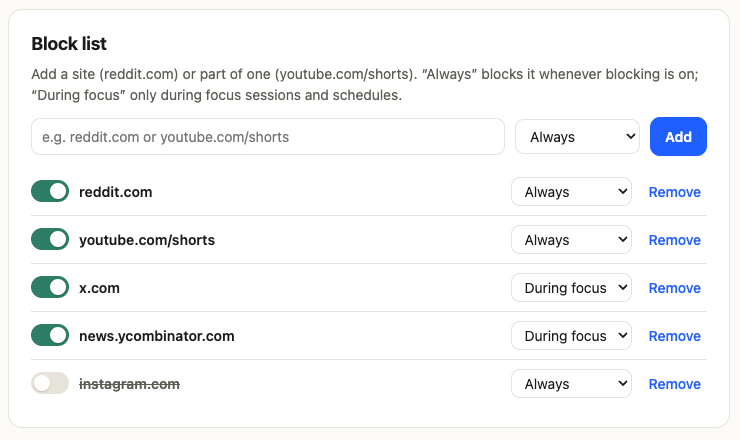
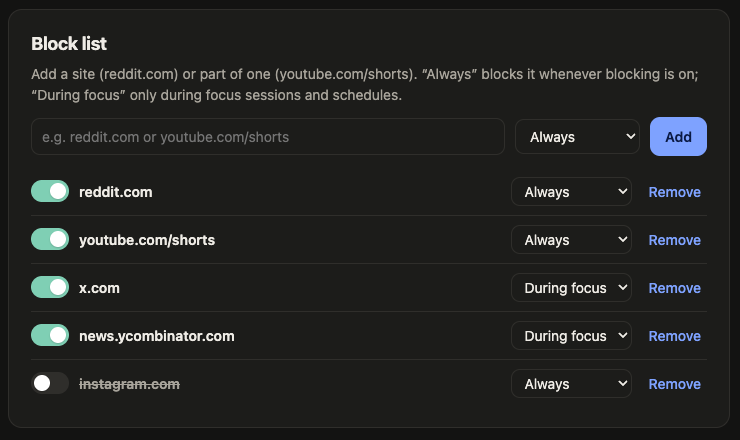
This also catches Shorts you open from inside YouTube. YouTube switches pages without a full reload, and Steady Focus watches for those in-page navigations too. Shorts are matched on www.youtube.com and m.youtube.com. Everything is checked in your browser; nothing about your browsing is sent anywhere (privacy policy).
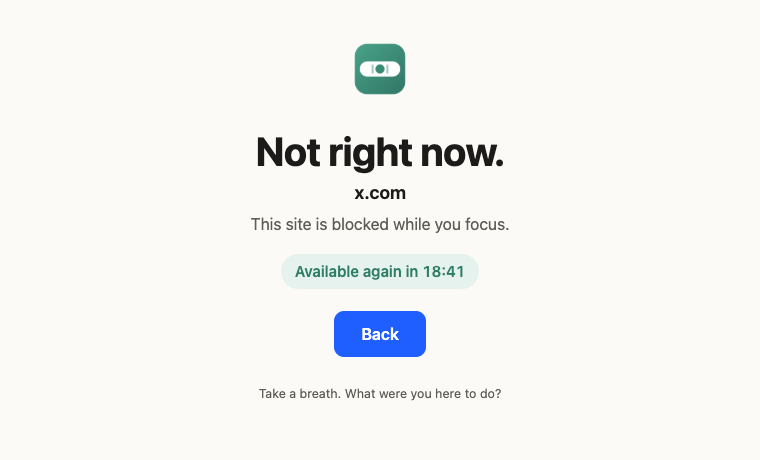
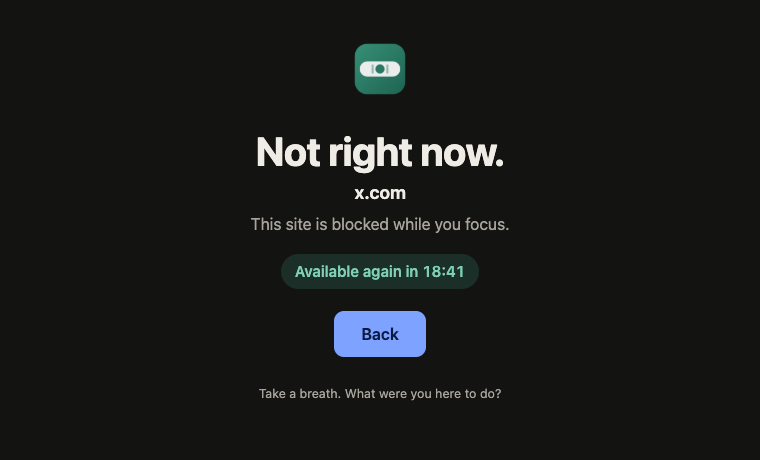
Good: free, works for links and in-app navigation, and the same tool blocks your other distracting sites. Limits: Shorts thumbnails still show in your feed; clicking one lands on the block page.
Hiding the Shorts shelves too (Steady Focus Pro)
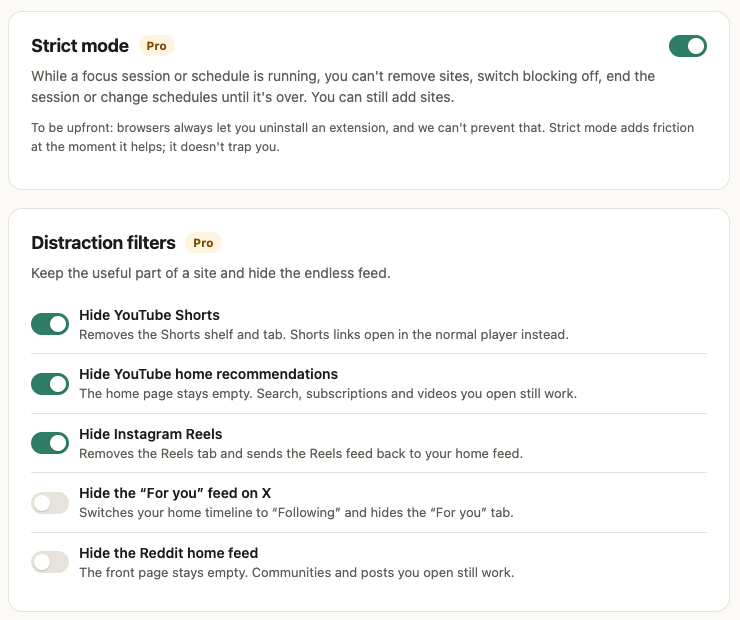
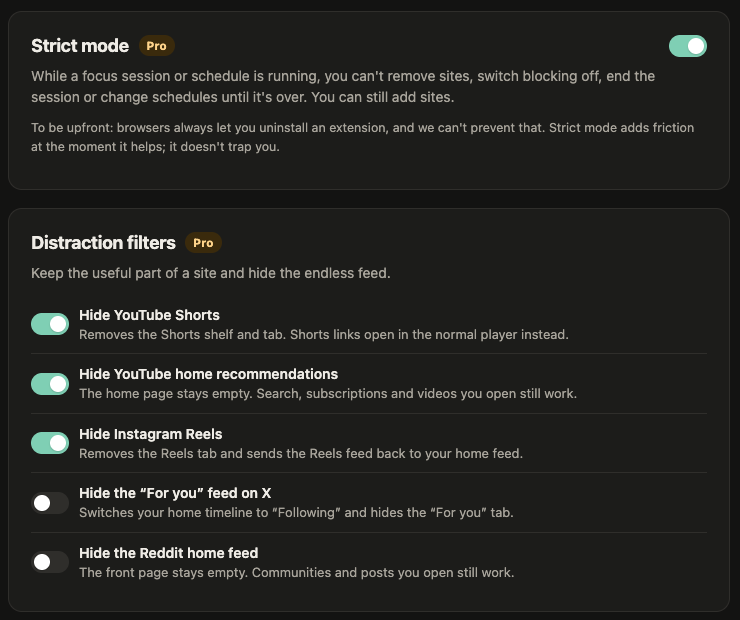
Pro's YouTube Shorts filter hides the Shorts shelves, Shorts in search and subscriptions, the Shorts entry in the sidebar and the Shorts tab on channels, and opens a Shorts link in the normal video player instead of the endless swipe feed. A second filter hides the YouTube home page recommendations. Pro also has filters for the Reddit home feed (including r/popular and r/all), and in beta for Instagram Reels and the X “For you” feed. Pro is $2.99/month or $19.99/year, with a 7-day trial that needs no card and starts the first time you switch a Pro feature on.
Which one to pick
| Method | Cost | Stops Shorts from playing | Hides Shorts in feeds |
|---|---|---|---|
| YouTube “Not interested” | Free | No | Home shelf, for 30 days |
| uBlock Origin Lite filters | Free | No | Yes, with your own filters |
| Unhook | Free | Hides the Shorts player | Yes |
| Steady Focus, path block | Free | Yes | No |
| Steady Focus Pro filter | $2.99/mo | Opens them as normal videos | Yes |
You can combine them. A common setup is a path block for youtube.com/shorts plus uBO Lite filters or Unhook to clear the shelves.
FAQ
Does this work in the YouTube phone app?
No. Everything on this page works in Chrome and Edge on a computer. Browser extensions can't change the YouTube app on a phone.
Will blocking youtube.com/shorts block normal videos?
No. Normal videos live at youtube.com/watch?v=…, which doesn't start with /shorts, so they keep working.
Can I block YouTube Shorts only during work hours?
Yes. In Steady Focus, set the entry to “During focus”, and it's blocked only while a focus session runs. Pro schedules can start sessions for you, like weekdays 9–5.
Is there a Firefox version?
Steady Focus for Firefox is coming. uBlock Origin (the original) and Unhook are already available for Firefox.
Sources
- Hiding the Shorts shelf for 30 days: SlashGear
- Chrome Manifest V2 timeline: developer.chrome.com
- Edge Manifest V2 timeline: learn.microsoft.com; uBlock Origin on Edge Add-ons
- uBlock Origin Lite: FAQ (custom filters, June 2026), quick guide, default mode
- Hide YouTube Shorts filter list: github.com/gijsdev/ublock-hide-yt-shorts
- Unhook: Chrome Web Store listing
YouTube is a trademark of Google LLC. SteadyTabs isn't affiliated with Google, uBlock Origin or Unhook.
More guides: BlockSite alternativeStayFocusd alternative